3 Release
3.1 Publish Minigame
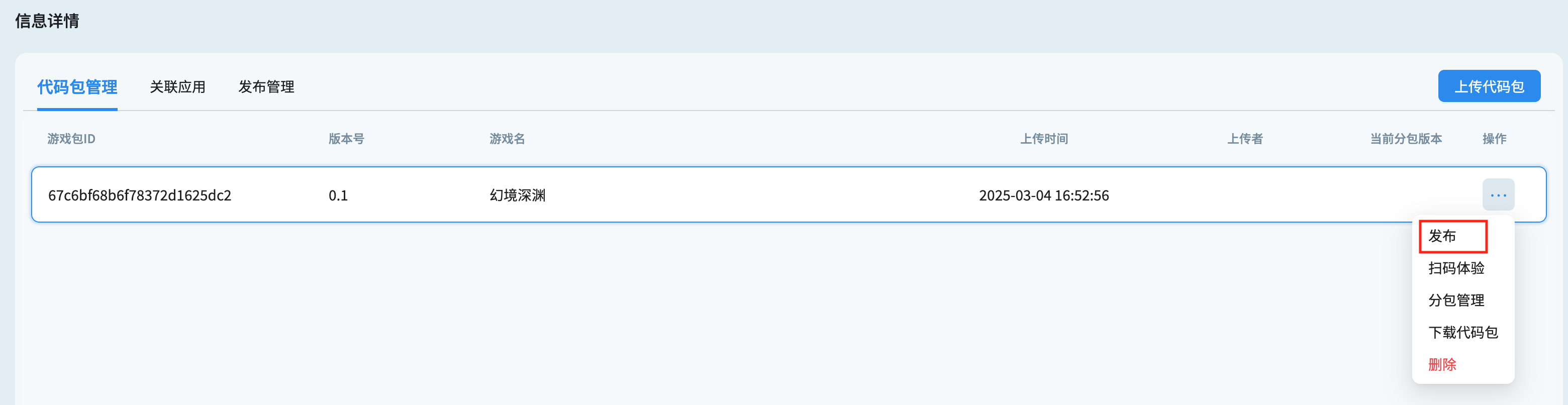
After uploading the game package on the game details page, click the action button on the right side of the list, select "Publish" (aka 发布) to publish the game. Each minigame package can only be published once, and cannot be revoked after publication.
3.2 Associate Applications
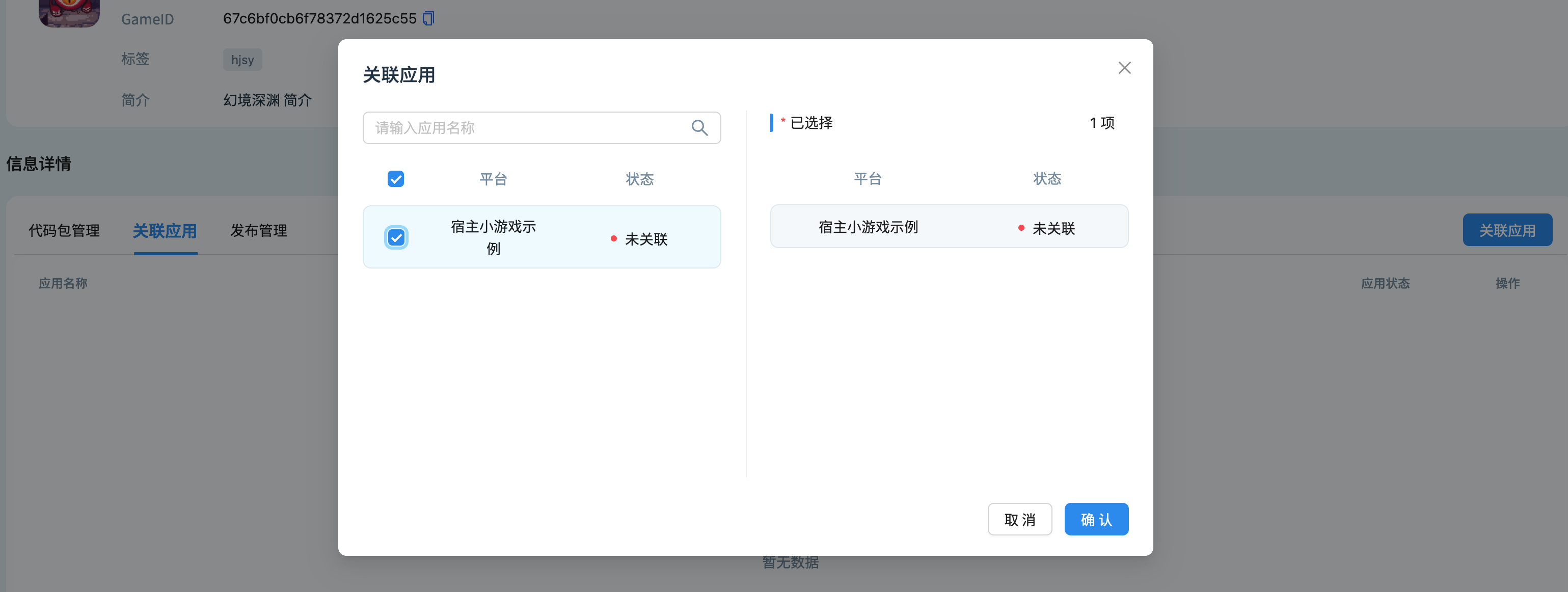
Click on the Associated Application tab, click Add Association, select the platform where the game needs to be published, and associate the application after confirmation.
3.3 Release Minigame
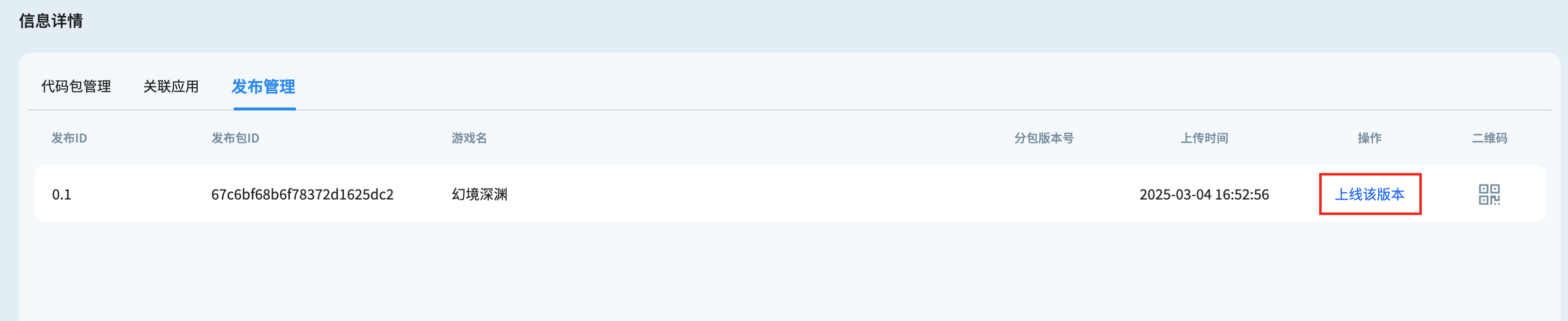
After the release is completed, click on the Release Management tab, select the version to be launched, then click the launch button to go live, and the game will be published in the associated application.
3.4 Run the Minigame
can be run in the following two ways:
-
Launch the associated application, and on the home page of the list, you will see the published game. Simply click to open it and start playing.
-
Open the QR code in the upper right corner of the minigame details page, and use the associated app to scan the code and open it.