7 Community Sharing
ShareLink Feature Guide & Operations Manual
1. Overview
The MiniHost community sharing feature is a dedicated sharing tool designed for UGC creators, developers, tutorial creators, and instructors. It generates permanent, shareable links (which can be manually disabled or re-enabled at any time), enabling cross-device, cross-session access. This makes it easy for community members to view your work, leave feedback, and interact — all while giving you full access to analytics.
Key Benefits
- Go beyond video — let users interact with your mini-game or project directly
- Generate a dedicated, stable sharing link for reliable distribution
- Adaptive layout for both PC and mobile
- Launch directly within Tuanjie Hub / Unity Connect App
- Real-time sharing analytics (launch count, spread count, active days)
2. Prerequisites
- Sharing links are system-generated. Once created, the base URL remains unchanged.
- Each share code is a fixed 6-character alphanumeric string (no special characters).
- Links can be manually disabled and re-enabled. Re-enabling a link automatically refreshes the share code.
- Accessing a disabled or expired link will redirect to the MiniHost official site.
3. Creator Workflow
3.1 Access the Sharing Entry Point
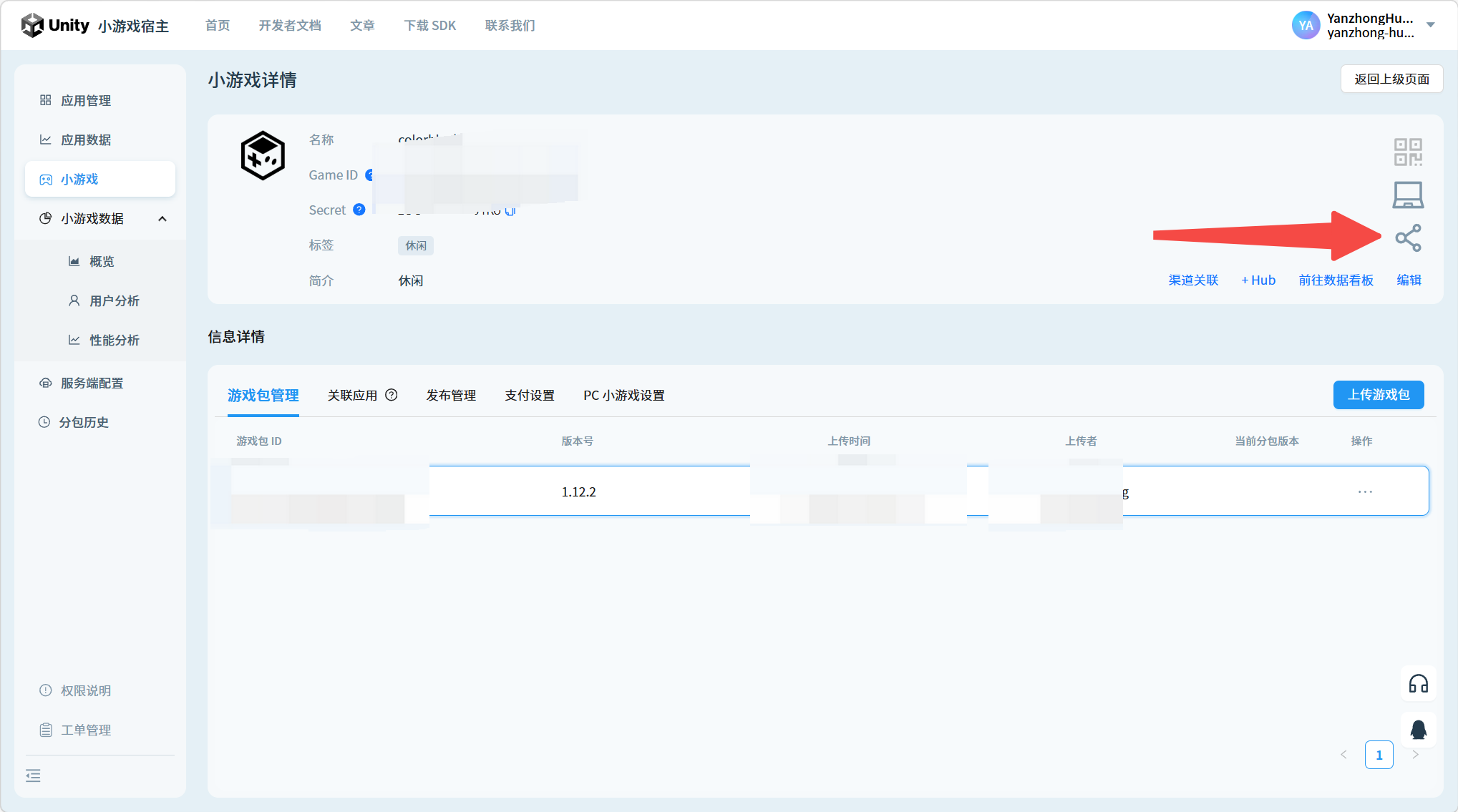
- Open MiniHost and navigate to the mini-game detail page.
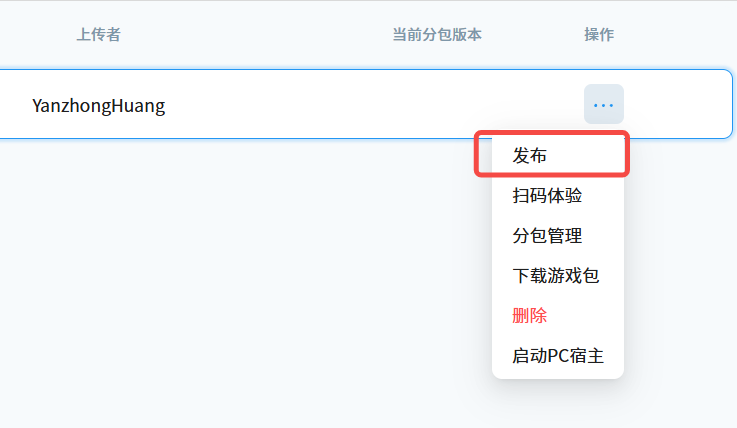
- Locate the uploaded mini-game package and publish it first.
- Find the Share button (indicated by the red arrow in the screenshot) and click it to open the link settings dialog.
3.2 Generate & Manage Share Links
Creating a share link:
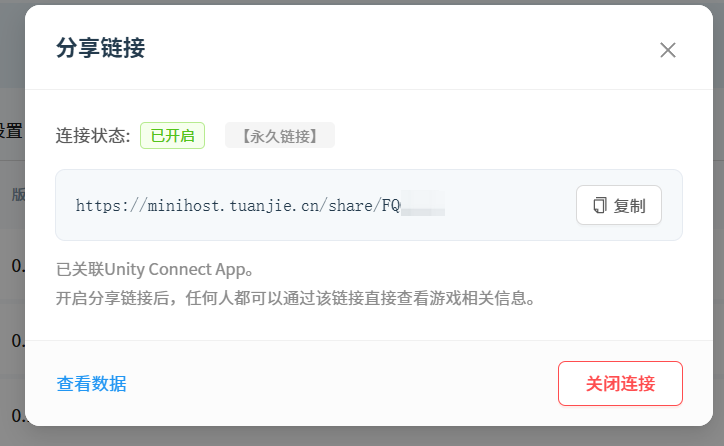
Note: Due to compliance requirements, enabling sharing will automatically associate the project with Unity Connect App.
The dialog provides the following actions:
| Action | Description |
|---|---|
| Share Link (Permanent) | Auto-generated by the system. Example: https://minihost.tuanjie.cn/share/QJWYKN |
| Copy | Copies the link to the clipboard. A "Copied" toast notification will appear. |
| Enable Link | Activates the share link. When enabled, visitors clicking the link will be directed to the sharing page. |
| Disable Link | Deactivates the share link. When disabled, external visitors clicking the link will be redirected to the MiniHost official site. |
| View Analytics | Opens the statistics panel for this share code. |
3.3 View Sharing Analytics
Click View Analytics to display the following data:
- Project Name — the name of the shared mini-game
- Share Code — the unique 6-character code
- Total Launches — cumulative number of times the project was opened via the share link
- Active Days — number of days the link has been live
- Spread Count — number of times the link was shared onward
4. Visitor Workflow
4.1 Open a Share Link
Click a share link (e.g., https://minihost.tuanjie.cn/share/123456).
4.2 What the Page Displays
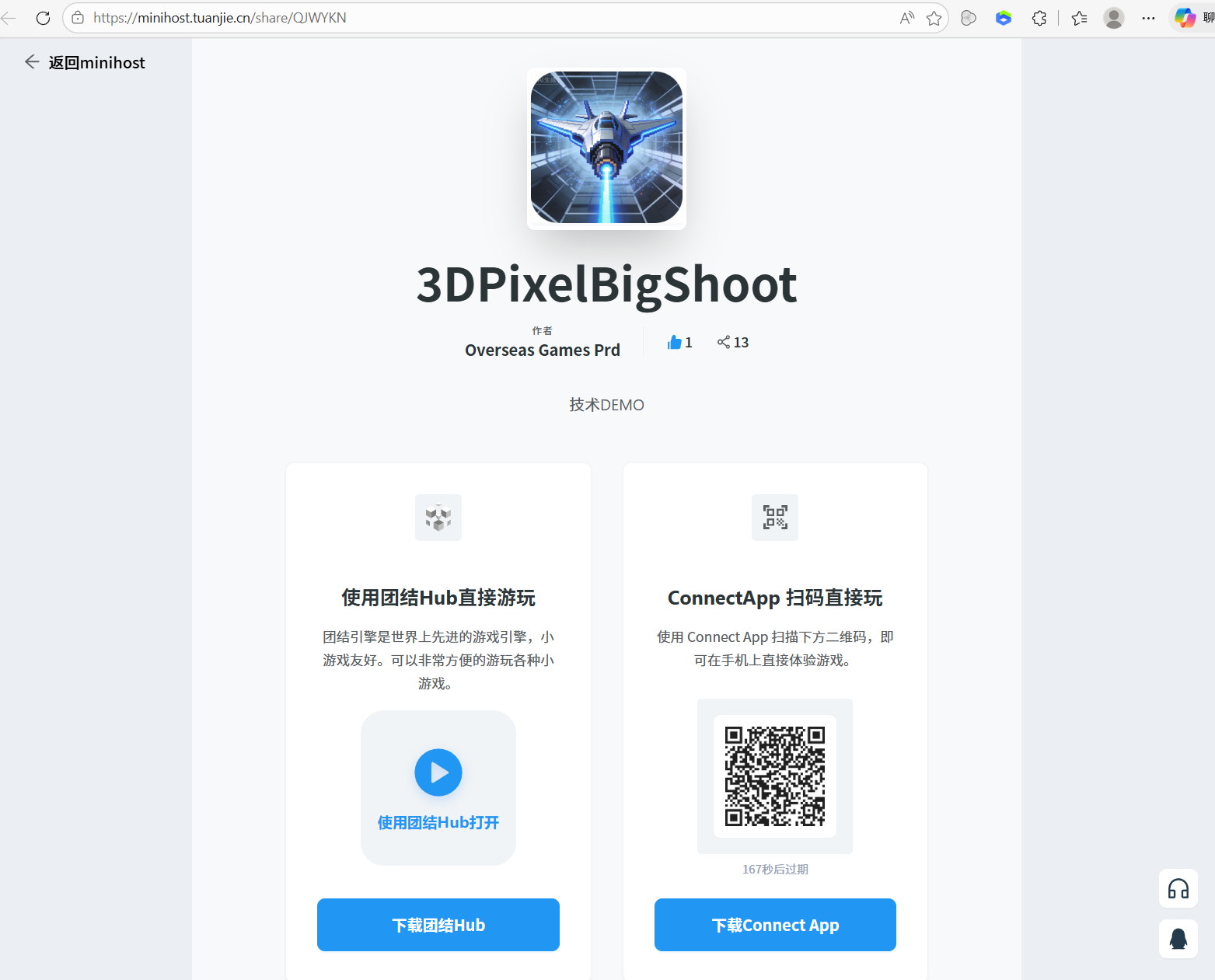
- Project info — name, author, and description
- Action buttons:
- PC: Open via Tuanjie Hub, scan QR code, or download Tuanjie Hub / Connect App
- Mobile: Tuanjie Hub entry and QR code are hidden; an "Open in Connect App" button is shown instead
- User agreement & content policy notice
- Disclaimer — the project is for technical demonstration only, with no commercial functionality
4.3 Launch via App
- Tuanjie Hub already installed: The app launches directly and loads the project.
- Not installed: A prompt will appear asking the user to download and install it first.
- Mobile: After installing Unity Connect App, the project can be opened with a single tap.
4.4 Expired / Disabled Links
If a share link has been disabled or expired, visiting it will automatically redirect to the MiniHost official site.
5. Rules & Behavior
- The share code is created on first link generation — a fixed 6-character alphanumeric string.
- Disabling and re-enabling a link automatically refreshes the
shareparameter (i.e., a new share code is generated). - Share links remain permanently valid as long as they are not manually disabled.
- The sharing page is fully responsive — both PC and mobile browsers render correctly.
- Mobile and PC layouts adapt automatically, ensuring a consistent experience across platforms.
6. Typical Use Cases
| Audience | Use Case |
|---|---|
| Unity educators / students | Showcase course projects and demos |
| Bilibili creators / UGC instructors | Share interactive demos alongside tutorials |
| Developers | Distribute cross-platform technical demos |
| Community contributors | Share projects with stable, long-term accessible links |
For questions or feedback, reach out via the MiniHost community channels.