3 Minigame Subpackage Splitting Management
3.1 Basic Concepts
Subpackaging refers to dividing the Minigame's Wasm file (WebAssembly's binary file) into multiple parts, downloading the core part first during the download process, and loading other parts on demand.
Why we use subpackages?
-
Break through platform limitations. Mainstream platforms impose restrictions on the size of minigame installation packages (usually 20MB - 50MB), and sub-packages can bypass the initial package size limit.
-
Reduce User Churn. If large-scale games require a one-time download, users may abandon installation due to excessive waiting time or high data consumption.
-
Improve operational efficiency. Loading resources on demand can reduce memory usage and prevent low-end devices from lagging due to resource overload.
The Unity Minigame Host Platform supports the function of splitting Minigames into sub-packages.
3.2 Basic Process
-
Initiate package splitting process, and the platform generates a collection package.
-
Run the function to collect the first packet in the collection package, and send the data to the server.
-
Use the collected first packet functions to generate splitted minigame packages, and the subpackages are automatically deployed to the CDN server.
-
After release, runtime data will be continuously collected to improve the first package functions.
3.3 Package Splitting Status
There are the following states during the subcontracting process:
-
Generating collection package: The platform is converting the original package into a collection package. Developers automatically enter this state after clicking
Start Subpackage Splitting(aka开始分包). -
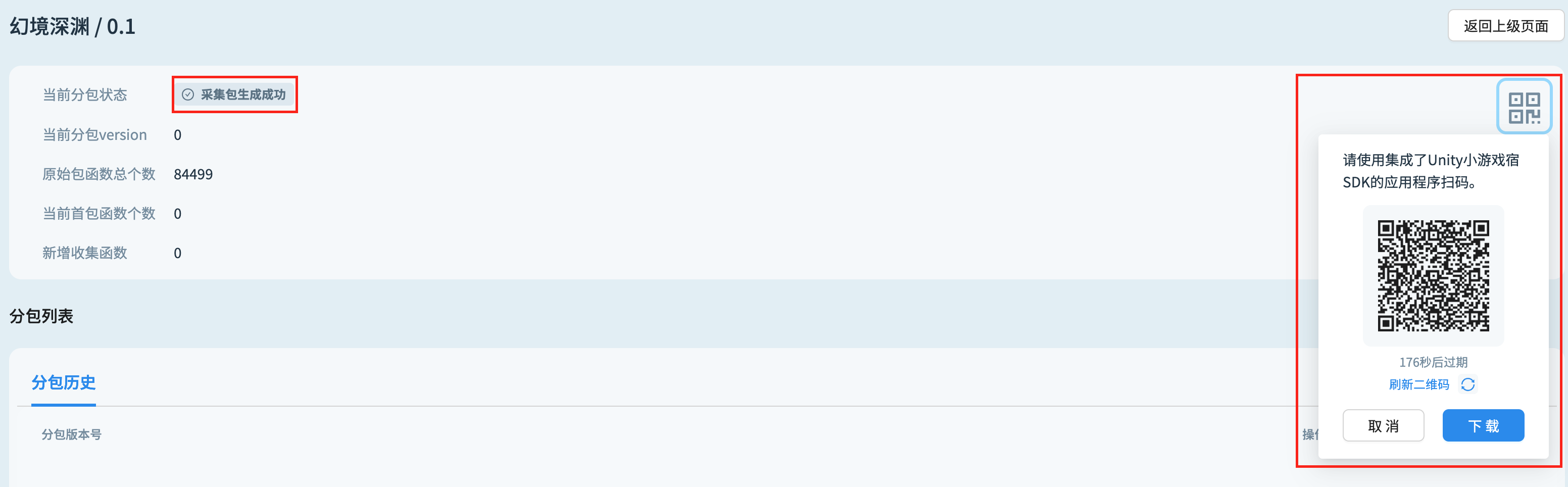
Collection package generation completed: The platform has successfully converted the original package into a collection package, allowing developers to scan the QR code on the page with their mobile phones to enter the game for collection.
-
Failed to generate the collection package: The platform failed to generate the collection package, and developers can retry generating the collection package by clicking
Re-collect(aka重新采集). -
During sub-packaging: After the developer completes the collection, they enter this state by clicking
Start Package Splitting(aka开始分包). -
Subpackage creation failed: Failed to create subpackage. Developers can recreate the subpackage by clicking
Start Package Splitting(aka开始分包) . -
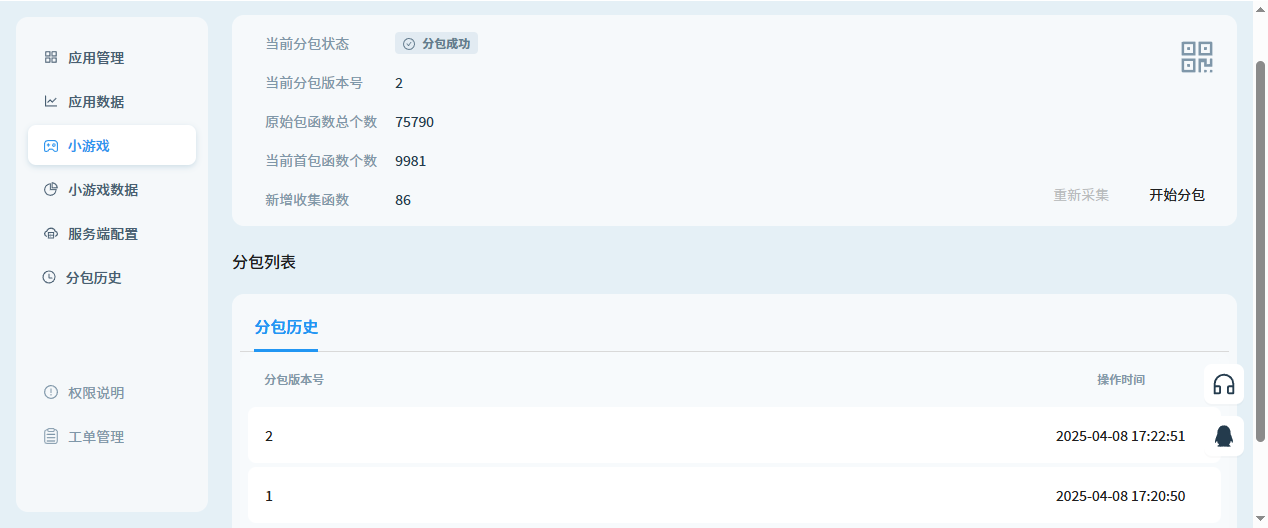
Subpackage creation successful: The subpackage has been successfully created, and the platform will automatically create a subpackage version. Developers can enter the subpackaged game by scanning the QR code.
-
Collecting: The platform has received the message of the collection package upload and is recalculating the first packet function.
3.4 Number of functions
The number of functions in the subcontracting process displayed on the platform is as follows:
-
Number of functions in the original package: The total number of functions contained within the original package.
-
Number of functions in the current first package: The total number of functions included in the main package in the latest subpackage version.
-
Newly collected functions: The total number of newly collected main package functions compared to the main package functions in the current subpackage.
3.5 Operating Procedures
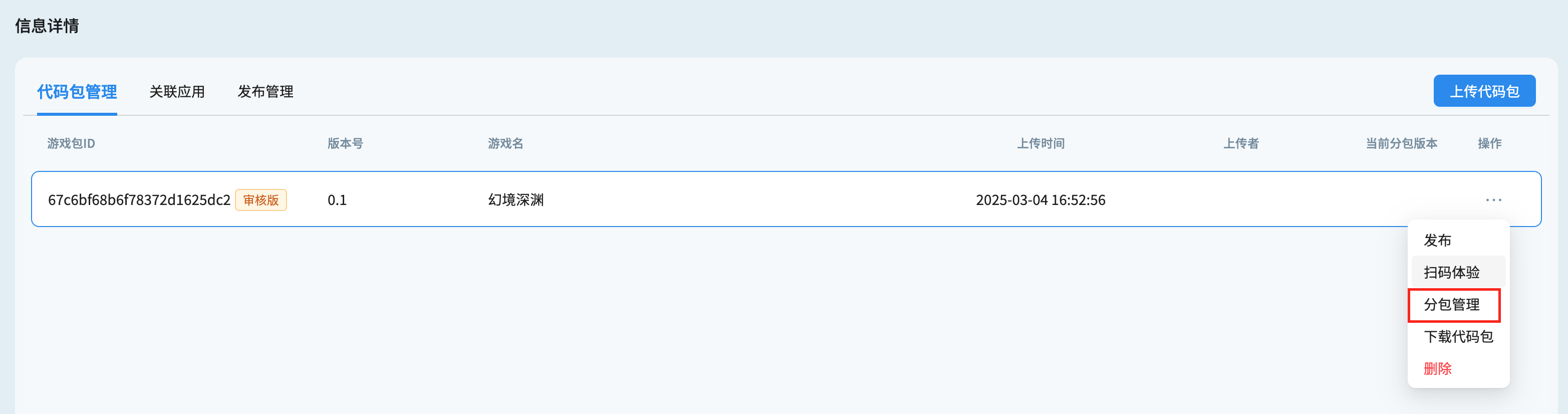
- After uploading the minigame package, click Subpackage Management (aka
分包管理) to create a collection package.
- After waiting for the collection package to be created, the number of functions in the original package can be seen on the page, and collection can be performed by scanning the QR code in an application integrated with the Unity minigame host.
- After the collection is completed, click
Start Package Splitting(aka开始分包) on the page.

- Each subpackage operation will output a new subpackage version, while displaying the number of functions in the first package. All subpackage versions can be viewed in the subpackage list. If the game has been launched, the online version will default to the latest subpackage version.
3.6 Error Messages
-
"This version does not support subpackage operations": Currently supported game packages that can be subpackaged need to be packaged and converted through the Minigame Host Build Tool provided by Unity. Minigame packages that do not meet this condition are not supported for subpackaging on the host platform.
-
"Missing Symbol file, subpackage not supported": The Symbol file is the webgl.wasm.symbols.unityweb file under the game directory.